
TL;DR:
- Thai language apps incorporate native speaker audio, tone correction, and interactive exercises to promote rapid conversational skill development. Using a combination of structured lessons and live practice with tutors accelerates progress, especially for mastering tones and sentence structure. Consistent daily practice focusing on practical vocabulary, active listening, and error review is essential for effective Thai language learning.
Thai language apps are digital learning tools that combine native speaker audio, tone correction, and interactive exercises to help you build real conversational skills fast. This guide to Thai language app usage covers everything you need to know: which features actually matter, how to structure your daily practice, and how to push past the common roadblocks that stall most learners. Apps like Ling, HelloTalk, ThaiPod101, and italki each take a different approach to teaching Thai, and knowing how to use them together gives you a serious edge. Whether you are learning for travel, work, or personal enrichment, the right app strategy gets you speaking with confidence far sooner than traditional study alone.
What features should you look for in a Thai language app?
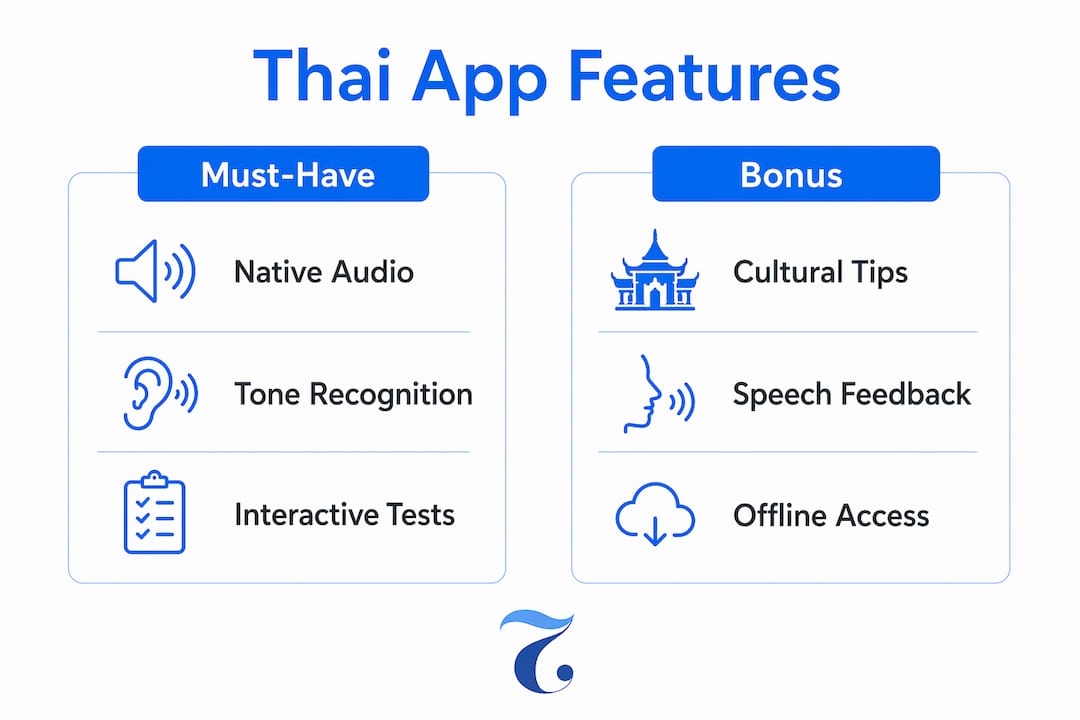
The best Thai language learning apps share four core features: native speaker audio, tone recognition, Thai script instruction, and interactive drills. Each one addresses a specific challenge that makes Thai harder than most languages for English speakers.
Native speaker audio and tone correction are non-negotiable. Thai is a tonal language with five distinct tones, and mispronouncing a tone changes the meaning of a word entirely. Apps that include speech recognition and real-time feedback on your tones, like Ling, let you catch errors before they become habits. Ling offers over 200 structured lessons covering Thai culture and conversation, with offline mode for practice anywhere.
Gamified drills and interactive quizzes keep you engaged and accelerate retention. Look for apps that test question words, verbs, and sentence structure through game-style formats rather than static flashcards. Context-based interactive games on grammar and vocabulary produce faster fluency than passive memorization. That finding should change how you evaluate any app: if it is mostly flashcards, it is not enough.
Live tutor integration separates good apps from great learning systems. Platforms like italki connect you with native Thai tutors at rates between THB 300 and THB 900 per hour. That access to personalized pronunciation feedback is something no algorithm fully replaces.
Here are the key features to prioritize when reviewing any Thai app:
- Native speaker audio with tonal variation examples
- Speech recognition that flags tone and vowel length errors
- Thai script reading and writing exercises
- Gamified vocabulary and grammar drills
- AI sparring bots for low-pressure speaking practice
- Live tutor or language partner access
Pro Tip: Before downloading any app, check whether it includes speech recognition for tones specifically. Generic pronunciation feedback designed for European languages will not catch Thai tonal errors accurately.
How to use Thai language apps daily to build skills fast
A structured daily routine is the single biggest factor in how quickly you progress. Sporadic use of even the best app produces weak results. Consistent, focused sessions of 20–30 minutes outperform occasional two-hour marathons every time.
Here is a practical daily framework for using Thai apps effectively:
-
Start with practical vocabulary. More than 50% of learners prioritize real-life scenarios like dining, transportation, and self-introductions when using Thai apps. Begin each session with phrases you will actually use, not abstract grammar rules.
-
Practice active listening. Play native speaker audio at normal speed, then slow it down to catch tonal differences. Repeat each phrase out loud immediately. This trains your ear and your mouth at the same time.
-
Run gamified grammar drills. Focus on question words and verb usage. Thai verbs do not conjugate; time is marked by adding small marker words around the verb. That simplicity is a genuine advantage once you understand it, and drills lock it in faster than reading about it.
-
Use AI sparring bots for speaking practice. AI-driven sparring bots and novice-friendly voice chat rooms let you practice speaking in a low-pressure environment, with native speakers available to slow their speech for beginners. HelloTalk’s voice rooms are a strong example of this feature done well.
-
Review AI error corrections at the end of each session. After chatting or completing speaking exercises, check the feedback log. AI error correction identifies grammatical mistakes and pronunciation errors like vowel length confusion, which are easy to miss in real-time conversation.
Pro Tip: Set a specific goal for each session before you open the app. “Practice ordering food” beats “study Thai for 20 minutes.” Concrete goals produce concrete results.
Which Thai language apps are best for different learner types?
Choosing the right app depends on your current level, your goal, and how you learn best. No single app does everything well, and most serious learners use two or three in combination.
| App | Best for | Standout feature | Cost |
|---|---|---|---|
| Ling | Beginners and travelers | Tone recognition, offline mode, 200+ lessons | Subscription-based |
| HelloTalk | Conversation practice | AI sparring bots, native speaker chat rooms | Free with premium tier |
| ThaiPod101 | Structured progression | Audio and video lessons by level | Subscription-based |
| italki | Pronunciation and fluency | Live one-on-one sessions with native tutors | Pay per session |
Ling suits learners who want structured, self-paced lessons with cultural context built in. HelloTalk works best for people who are ready to speak with real people and want the safety net of AI feedback. ThaiPod101 fits learners who prefer audio and video content organized by proficiency level. italki is the right choice when you have hit a plateau and need direct human feedback to break through.
A few practical points on cost and access:
- Ling and ThaiPod101 both offer free trials before committing to a subscription.
- HelloTalk’s free tier covers most core features; the premium version adds unlimited translations and deeper AI tools.
- italki sessions are priced individually, which makes it easy to budget for one or two sessions per month as a supplement.
For a broader view of how these apps compare to structured learning, the practical guide for adult learners at Thai Explorer covers the differences in depth.
How to overcome common challenges when learning Thai with apps
Thai presents three specific challenges that trip up most learners: tonal pronunciation, question word placement, and reading the Thai script. Apps address each one differently, and knowing which feature to use for which problem saves you a lot of frustration.
“Correct structural understanding of Thai, like question word placement and verb usage, is more effective than memorizing grammar lists.” — Quest Thai, 2026
Tonal mistakes are the most common error and the hardest to self-correct. Your ear is trained to hear pitch as emotion, not meaning. Use apps with speech recognition that specifically flags tonal errors, and supplement with a live tutor session every two to four weeks. A tutor catches patterns in your errors that an algorithm misses. For a step-by-step approach, the Thai pronunciation guide at Thai Explorer breaks down each tone with practical exercises.
Question word placement confuses English speakers because Thai question words appear at the end of sentences, not the beginning. Apps that use quiz-based games to drill sentence structure are far more effective here than reading grammar explanations. Repeated exposure in context rewires your instinct faster than rules do. You can also review common Thai mistakes to understand exactly where learners go wrong with sentence structure.

Script confusion is real but manageable. Start with transliteration in your app, then gradually switch to Thai script as your reading improves. Apps like Ling let you toggle between the two, which gives you a controlled transition rather than a cold jump.
Here are four strategies to stay on track and avoid the most common learning traps:
- Combine app sessions with offline practice: journal three sentences in Thai each day.
- Watch Thai television or YouTube content for 10 minutes after your app session to reinforce listening.
- Avoid passive memorization. Drilling words without context produces recognition but not recall.
- Track your error patterns weekly. If the same mistake appears three sessions in a row, address it directly with a tutor or targeted drill.
Key takeaways
The most effective approach to Thai language app usage combines structured daily practice, gamified grammar drills, and live native-speaker interaction to build real conversational fluency.
| Point | Details |
|---|---|
| Prioritize tonal features | Choose apps with speech recognition that flags Thai tone and vowel length errors specifically. |
| Use practical vocabulary first | Start with dining, transportation, and introductions, as most learners find real-life scenarios most motivating. |
| Combine apps strategically | Pair Ling or ThaiPod101 for structure with HelloTalk or italki for live speaking practice. |
| Fix errors with AI feedback | Review AI correction logs after each session to catch recurring pronunciation and grammar mistakes. |
| Avoid passive memorization | Use context-based games and drills instead of flashcards to build faster, more durable recall. |
Why I think most people use Thai apps the wrong way
Most learners treat Thai apps like textbooks. They open the app, complete a lesson, close it, and feel like they have studied. That approach produces recognition but almost no speaking ability. I have seen it repeatedly, and I made the same mistake early on.
The shift that actually works is treating the app as a warm-up, not the main event. Spend 15 minutes on drills and vocabulary, then immediately use what you practiced in a real conversation. HelloTalk’s voice rooms and italki sessions are where the real learning happens. The app builds the raw material; speaking with a real person builds the skill.
AI sparring bots genuinely helped me get over the fear of sounding foolish. Knowing that a bot would not judge my tones made me willing to attempt sentences I would have avoided with a real person. That low-pressure repetition built enough confidence to try those same sentences in actual conversations. The bot is not the destination. It is the training ground.
The other thing most guides skip: cultural context matters as much as vocabulary. Knowing when to use formal versus informal registers, or understanding why certain phrases land differently depending on the relationship, is the difference between sounding functional and sounding fluent. Apps like Ling include cultural notes alongside lessons, and that context sticks in a way that pure vocabulary drilling does not. Pair your app time with Thai media, and your comprehension will accelerate noticeably within a few weeks.
— Paul
Take your Thai further with Thai Explorer
Apps are a strong starting point, but they have a ceiling. Structured instruction with a qualified native Thai teacher is what gets you past it.
Thai Explorer offers adult Thai language courses in Singapore designed for conversational and business use, with flexible options including online Zoom classes and corporate training programs. All lessons are taught by bilingual native Thai instructors who can explain the nuances that no app captures. Whether you want to learn Thai online at your own pace or join a group class, Thai Explorer has a format that fits your schedule. The school is located at 10 Anson Road, #22-07, International Plaza, Singapore 079903, right above Tanjong Pagar MRT. Explore the full Thai language course options and find the right level for where you are now.
FAQ
What is the best Thai language app for beginners?
Ling is widely recommended for beginners because it combines native speaker audio, tone recognition, and over 200 structured lessons with cultural context. Its offline mode also makes it practical for travel.
How do I use a Thai language app effectively every day?
Use the app for 20–30 minutes of focused practice, starting with practical vocabulary and ending with a review of AI error corrections. Pair app sessions with live speaking practice through HelloTalk or italki for faster results.
Are Thai language apps enough to become fluent?
Apps build vocabulary, pronunciation awareness, and grammar instincts, but fluency requires live conversation practice. Combining apps with native speaker sessions through italki or a structured course produces significantly better outcomes.
Why are Thai tones so hard to learn with apps?
Most speech recognition tools are calibrated for European languages and may miss Thai-specific tonal errors. Use apps that explicitly target Thai tones, and supplement with a human tutor who can identify your specific error patterns.
How do Thai question words differ from English?
Thai question words appear at the end of sentences rather than the beginning, which is the opposite of English structure. Mastering this placement through interactive quiz-based games is more effective than studying grammar rules alone.